Tutorial 5 of 5
Reports, sharing, exports and review reminders
Beginner 7 min
Turn a notebook into a printable report, share it as a link or file, hand tables and figures to other apps and schedule spaced-repetition reviews.
The report
Report collects everything in one page:
- Findings — the key figures you pinned, with their trend since the previous run.
- What the tools found — the summary sentence of every cell, marked when it is out of date.
- Comparisons — every A/B pair as a table.
- All cells — inputs, results, key figures, figures and batch tables, cell by cell.
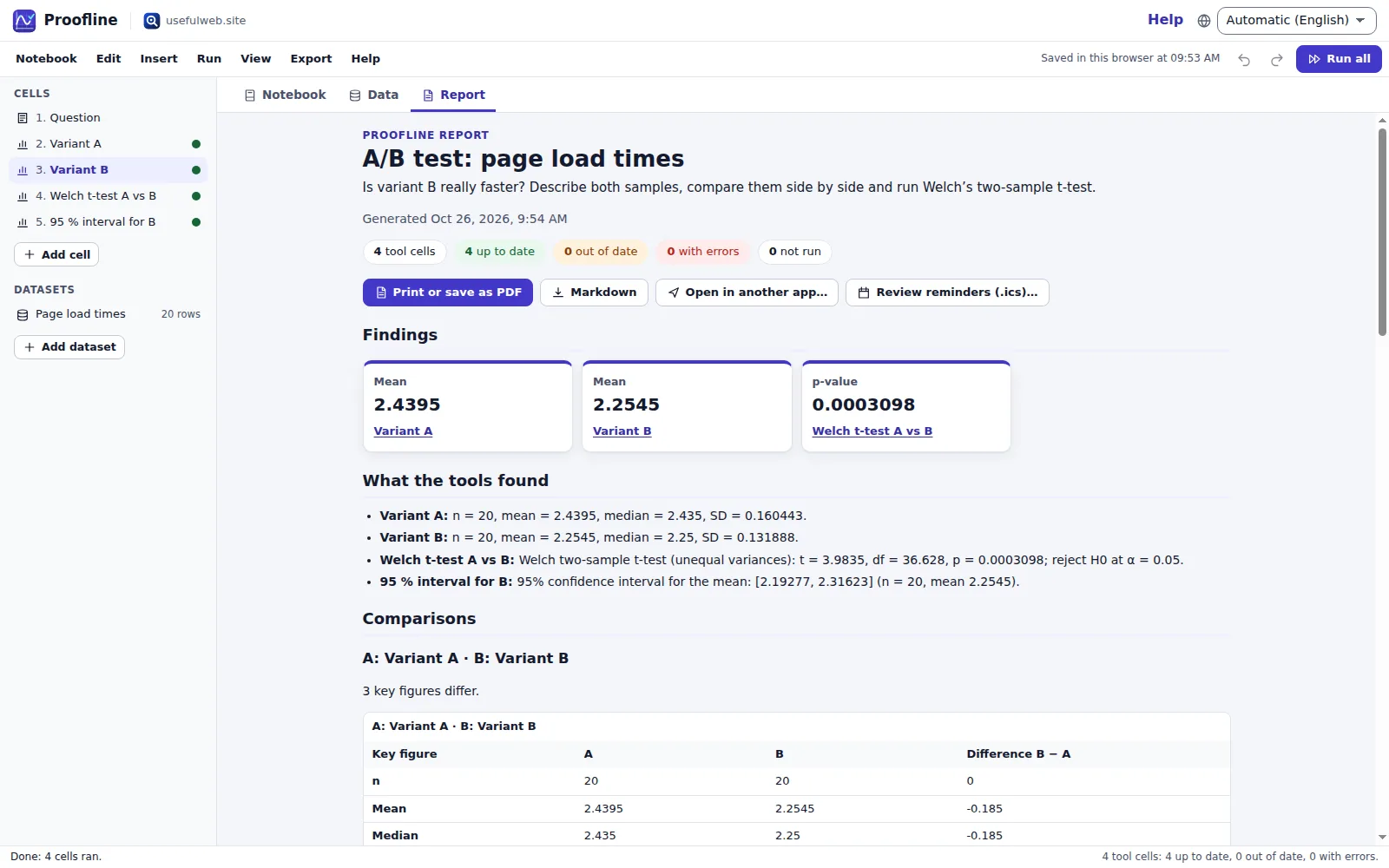
Print or save as PDF prints only the report. Markdown downloads the same content as a .md file.
Save and share
- Proofline saves automatically in this browser; Notebook → Recent notebooks… lists the last 20.
- Save notebook file (
Ctrl+S) downloads a.proofline.jsonfile; Open file… (Ctrl+O) opens it again — or opens a CSV as a new dataset. - Share link… creates a link with the inputs, datasets and notes (no results). Whoever opens it presses Run all to recalculate.
- Signed in with Google Drive connected, the top bar offers saving to and opening from Drive.
Exports and other apps
The Export menu has the report, CSV of the current dataset and of batch tables, and the notebook file. Every figure has SVG and PNG buttons. Open in another app… hands a table, a figure or the report to another usefulweb.site premium app in the same browser — nothing is uploaded. Tables or text sent to Proofline open as a dataset (after a preview), a note or an equation solver cell.
Review reminders
Learning sticks when you come back. Export → Review reminders (.ics)… creates all-day calendar events after 1, 3, 7, 14 and 30 days (choose your own) with a reminder in the morning. Import the file into any calendar app.
For scripts and AI agents
Every cell kind is a public usefulweb.site tool with a JSON API and MCP; Help → Tools and API lists them. The notebook format is published as /project.schema.json, so a script can build a notebook and open it with /app#project=….
Ready to try it?